yourwebsite.com
Paste your website
Adwave reads your site for offers and photos it can find, then suggests the customers worth reaching.

How Adwave works
Create ads for TV, search, and social from your website. Review your ads, choose an audience, and set your daily budget before launch.
A simpler setup
You don’t need to open separate accounts with Google, Meta, or TV networks. Create and manage the campaign from one place.
Adwave reads your site for offers and photos it can find, then suggests the customers worth reaching.
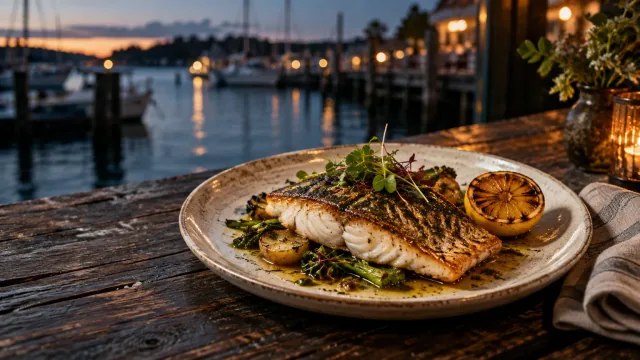
Preview image ads, social video, and a TV spot. Refine the creative before you approve it.
Start from $30/day. Target a radius, ZIP codes, a city, or a national audience.
 Google
 YouTube
 Facebook
 Instagram
 RedditWeb & appsMobile
 TikTokEarly access
Adwave buys media across eligible channels. Track campaign activity and website conversions.
Review your creative, choose your channels, and set your daily budget.
Who sees your ads
Start with suggested customer profiles, then refine the ages, interests, and locations that fit your business.
Use search intent where supported to reach people already looking for what you offer.
Options vary by channel and campaign category.5 audience signals selected
Where your ads run
Focus on the people who can visit, call, book, or buy. Choose a local radius or expand your campaign across the country.
Reach customers across TV, search, social, and the web.
 Sponsored · Briar Table
Wood-fired pizza. Seasonal plates. A table with your name on it.
Reserve a table · About usExample local campaign. The radius changes the area shown; it does not change a live campaign.
GoogleYouTubeFacebookInstagramRedditWeb & appsMobileTikTokEarly access
Good food. Sponsored · Briar Table
Wood-fired pizza. Seasonal plates. A table with your name on it.
Reserve a table · About us Made slowly. Sponsored · fieldwork.example
Thoughtful ceramics for everyday rituals. Find your favorite piece.
Shop the collection · About usYour campaign, adapted to each channel
15-second adPlay with sound
An ad for Harbor & Pine shows a server setting down grilled fish beside a marina and a cook tending the grill. Narration: Dinner deserves a better view. Meet Harbor and Pine. Oak-grilled seafood. A dockside table. An evening worth making time for. Explore the menu. Reserve your table at Harbor and Pine.
15-second adPlay with sound
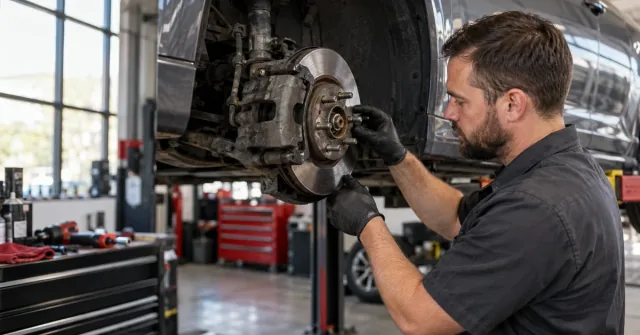
An ad for Brightside Bikes shows a bicycle outside a neighborhood shop and a mechanic working on its drivetrain. Narration: That next ride starts at Brightside Bikes. A tune-up for the bike you love. Care for the details you feel. Book your tune-up with Brightside Bikes. Get back out there.
15-second adPlay with sound
An ad for North Glass Studio shows hands shaping a clay bowl and handmade pottery in a studio. Narration: Make room for making. North Glass Studio. Trade a little screen time for clay, a wheel, and your own two hands. Explore pottery classes at North Glass Studio. Pick your first session.
15-second adPlay with sound
An ad for Pebble & Paw shows a golden retriever enjoying a treat and a shopkeeper choosing a dog toy. Narration: Meet their next favorite thing. Pebble and Paw. A treat to sniff out. A toy to carry everywhere. Little joys for good dogs. Explore the treats and toys at Pebble and Paw.
15-second adPlay with sound
An ad for Daybreak Coffee shows fresh coffee pouring into a ceramic cup and a barista serving a customer. Narration: A better morning starts at Daybreak Coffee. Freshly poured coffee. A warm pastry. A few minutes that are yours. Explore the menu at Daybreak Coffee. Meet your morning cup.


15-second adPlay with sound
An ad for Harbor & Pine shows a server setting down grilled fish beside a marina and a cook tending the grill. Narration: Your dinner plans just got an upgrade. That oak-fire sizzle? Harbor and Pine. Seafood, right by the water. Send this to your dinner person. Then book your table.
15-second adPlay with sound
An ad for Brightside Bikes shows a bicycle outside a neighborhood shop and a mechanic working on its drivetrain. Narration: Your bike called. It wants a little attention. Meet Brightside Bikes. Gears, brakes, and the small things that change a ride. Save the weekend for riding. Tap to book a tune-up.
15-second adPlay with sound
An ad for North Glass Studio shows hands shaping a clay bowl and handmade pottery in a studio. Narration: Your next hobby might get a little messy. Clay, a wheel, and a reason to put your phone down. North Glass Studio. Bring your curiosity. Tap to find your first pottery class.
15-second adPlay with sound
An ad for Pebble & Paw shows a golden retriever enjoying a treat and a shopkeeper choosing a dog toy. Narration: The head tilt says everything. Treats worth sniffing out. Toys worth carrying home. This is Pebble and Paw. Know a very good dog? Tap to find their new favorite.
15-second adPlay with sound
An ad for Daybreak Coffee shows fresh coffee pouring into a ceramic cup and a barista serving a customer. Narration: Before the inbox, this. A fresh pour, a warm pastry, and one good pause. Daybreak Coffee. Send this to your coffee person. Tap to see the menu.
Sponsored · Harbor & Pine
Explore oak-grilled seafood and dockside dining at Harbor & Pine. Reserve a table.
Reserve a table · About usSponsored · Brightside Bikes
Brake and drivetrain care at Brightside Bikes. Explore services and book your tune-up.
Book a tune-up · About usSponsored · North Glass Studio
Make something with your hands at North Glass Studio. Explore pottery class sessions.
Explore classes · About usSponsored · Pebble & Paw
Discover treats and toys at Pebble & Paw. Find a new favorite for your dog.
Shop treats & toys · About usSponsored · Daybreak Coffee
Fresh coffee and pastries at Daybreak Coffee. Explore the menu and plan your next stop.
See the menu · About us


 u/harborpinePromoted · Example ad
Oak-grilled seafood, a table by the water, and a menu you can browse before you book. Meet Harbor & Pine.
u/brightsidebikesPromoted · Example ad
A tune-up starts with the details: brakes, gears and the way your bike feels. See the workshop services at Brightside Bikes.
u/northglassPromoted · Example ad
Try a pottery class at North Glass Studio. A wheel, a little clay, and room to make something your own. Browse upcoming sessions.
u/pebblepawPromoted · Example ad
Meet Pebble & Paw: a neighborhood pet shop with treats to sniff out and toys to carry home. Take a look at the collection.
u/daybreakcoffeePromoted · Example ad
Daybreak Coffee is a place for a fresh pour, a pastry and a few quiet minutes. Browse the menu before your next coffee run.
15-second adPlay with sound
An ad for Harbor & Pine shows a server setting down grilled fish beside a marina and a cook tending the grill. Narration: A little oak smoke. A little sea air. At Harbor and Pine, settle in for seafood by the water. Find Harbor and Pine online. Reserve your dockside table.
15-second adPlay with sound
An ad for Brightside Bikes shows a bicycle outside a neighborhood shop and a mechanic working on its drivetrain. Narration: There is a good ride waiting outside. Brightside Bikes brings careful workshop attention to the bike you already love. Find Brightside Bikes online. Book your next tune-up.
15-second adPlay with sound
An ad for North Glass Studio shows hands shaping a clay bowl and handmade pottery in a studio. Narration: Some things feel better made by hand. At North Glass Studio, slow down and discover the possibilities in clay. Find North Glass Studio online. Choose your next pottery class.
15-second adPlay with sound
An ad for Pebble & Paw shows a golden retriever enjoying a treat and a shopkeeper choosing a dog toy. Narration: They make your day. Make theirs, too. At Pebble and Paw, discover treats and toys for life with your favorite companion. Find Pebble and Paw online. Choose their next favorite thing.
15-second adPlay with sound
An ad for Daybreak Coffee shows fresh coffee pouring into a ceramic cup and a barista serving a customer. Narration: Let the rest of the day wait a moment. Fresh coffee, a warm welcome, and a sunlit seat. This is Daybreak Coffee. Find Daybreak Coffee online. Plan your next coffee stop.
Measurement from your website
Connect one tracker to your website to report visits and conversions alongside your campaign activity.
Reports can include visits and conversions attributed to TV exposure.
Attribution depends on available signals and tracking configuration.One view of your campaign activity and the actions that matter to your business.
Keep improving
Adwave reviews performance and adjusts audiences, bids, and media allocation. Raise or lower the budget, or pause whenever you need.
See pricing and what’s includedAd library
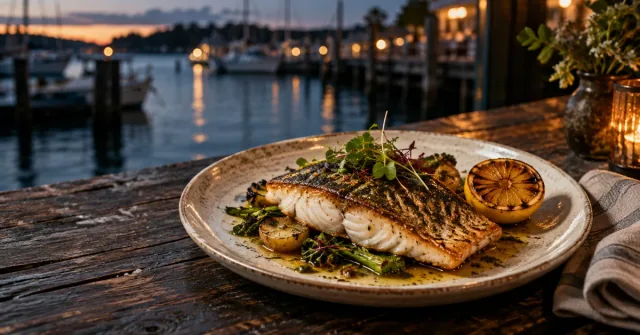


Why the mix works
Introduce your business on TV and social, then reach customers in search when they look for what you sell.
Video, TV, and social can introduce your business before someone goes looking.
Show your products, services, and prices so customers can compare their options.
Search and clickable placements can turn interest into a visit, inquiry, or purchase.
Create your campaign
Turn your website into ads across TV, search, social, and the web.
Free to analyze. See your plan before you spend.